Some print problems start in the file itself: the wrong units, a gap in the mesh, a part too big for the bed. Five quick checks catch them before the printer warms up, and OMNIVIEWER, our free 3D toolkit, runs every one of them in your browser.
Five checks
Open the file
Drag it onto omniviewer3d.com, or press O. A model with its textures, a whole folder or a .zip works too, and a file with a missing or wrong extension is recognised from its contents. Nothing is uploaded.
Check the units and the real size
An STL stores no unit, so a part can open 25.4 or 10 times too big or too small. The side panel shows the width, height and depth, the unit, and where that unit came from: declared by the file, usual for the type, guessed or chosen. If the size is off, set the right file unit.
Run the repair and printability check
It highlights open edges, non-manifold edges, flipped or inside-out faces and loose pieces, and repairs them in one click. A clean result means the mesh is closed, not that the part will print well: orientation, walls and supports are still up to you.
Check it fits your printer
The bed fit check has printer presets, the overhang map shows which faces will need support, and a flat face can be placed on the floor in one click. The print estimate gives weight, filament length and cost by material, infill and walls, clearly labelled as an estimate.
Export the right format
For a slicer, 3MF or STL. 3MF declares its unit; STL is written in millimetres and can be turned Z-up for slicers. Before every download a preflight report shows what is included and what the format cannot keep.
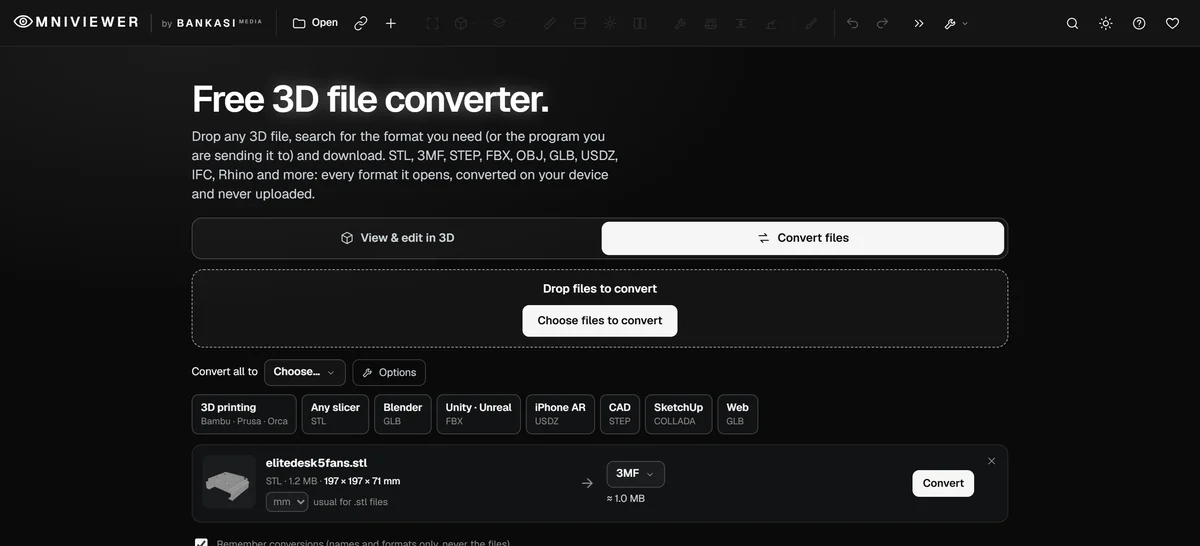
Which format for what
- 3MF
- A modern print format that keeps its unit, colours and several parts in one file. Bambu Studio, PrusaSlicer, OrcaSlicer and Cura all read it.
- GLB / glTF
- The format for the web, Blender and game engines. OMNIVIEWER writes it in metres with Y up.
- OBJ
- An older, widely supported mesh format. Materials and textures travel in separate MTL and image files, so OMNIVIEWER can zip them together.
- STEP
- The CAD exchange format, with exact surfaces, from Fusion 360, SolidWorks, Onshape and others. OMNIVIEWER opens it with OpenCascade; a STEP it writes is faceted, one flat face per triangle.
- STL
- Triangles only, with no unit and no colour. Every slicer reads it, which keeps it the everyday print file.
- USDZ
- Apple’s AR format: open it on an iPhone to place the model in the room around you.
Run the five checks on your own file.
Open OMNIVIEWER