11 logged stress runs, one HP EliteDesk 800 G4 Mini in a closed drawer, and a simple question: what do fans on top of a mini PC actually change?
The setup
An HP EliteDesk 800 G4 Mini with an Intel Core i5-8500, running HWiNFO’s CPU burner at 100% on all six cores, inside a closed IKEA STORKLINTA drawer, logged by HWiNFO every two seconds. The 11 runs span three setups: stock cooling (the CPU stress test and tests 1–3), the first four-fan mount (tests 4–9) and the new five-fan mount (test 10). From test 2 on, ThrottleStop disabled the board’s BD PROCHOT throttling.
Peak is the highest reading while the CPU was above 90% load; sustained is the average over the second half of that load. Before is the earlier reading each test 10 value is compared with; the run it comes from is listed beside it.
Before vs. test 10
| Reading | Before | From | Test 10 · five-fan mount | Change |
|---|---|---|---|---|
| Temperatures | ||||
| CPU, peakBefore 82.0°C · Test 9 · legacy mount | 82.0°C | Test 9 · legacy mount | 73.0°C | −9.0°C (−11.0%) |
| CPU, sustainedBefore 75.8°C · Test 6 · legacy mount | 75.8°C | Test 6 · legacy mount | 72.0°C | −3.8°C (−5.0%) |
| Chipset (PCH), peakBefore 62.0°C · Test 1 · stock | 62.0°C | Test 1 · stock | 49.0°C | −13.0°C (−21.0%) |
| Chipset (PCH), sustainedBefore 60.3°C · Test 1 · stock | 60.3°C | Test 1 · stock | 46.8°C | −13.5°C (−22.4%) |
| NVMe drive, peakBefore 61.0°C · Test 1 · stock | 61.0°C | Test 1 · stock | 42.0°C | −19.0°C (−31.1%) |
| NVMe drive, sustainedBefore 58.7°C · Test 1 · stock | 58.7°C | Test 1 · stock | 40.2°C | −18.5°C (−31.5%) |
| NVMe drive, hottest sensor, peakBefore 72.0°C · Test 1 · stock | 72.0°C | Test 1 · stock | 50.0°C | −22.0°C (−30.6%) |
| NVMe drive, hottest sensor, sustainedBefore 66.4°C · CPU stress test · stock | 66.4°C | CPU stress test · stock | 46.7°C | −19.7°C (−29.7%) |
| Tuning · ThrottleStop BD PROCHOT off (tests 2–10), not the mount | ||||
| All-core clock, sustainedBefore 1530.7 MHz · CPU stress test · stock | 1530.7 MHz | CPU stress test · stock | 3180.1 MHz | +107.8% |
| CPU package power, sustainedBefore 20.8 W · CPU stress test · stock | 20.8 W | CPU stress test · stock | 40.9 W | +96.6% |
| PROCHOT active, share of the loadBefore 100.0% · CPU stress test · stock | 100.0% | CPU stress test · stock | 0.0% | eliminated |
What made the difference
Removing PROCHOT doubled performance
The board asserted PROCHOT under load, pinning the CPU at about 1.5–2.0 GHz. With BD PROCHOT disabled in ThrottleStop, sustained clocks rose to about 3.2 GHz (1530.7 MHz → 3180.1 MHz). Clocks are now limited by the board’s whole-system power cap, not by temperature. This is a tuning change, not the fan mount.
Lid fans fixed the drive and the chipset
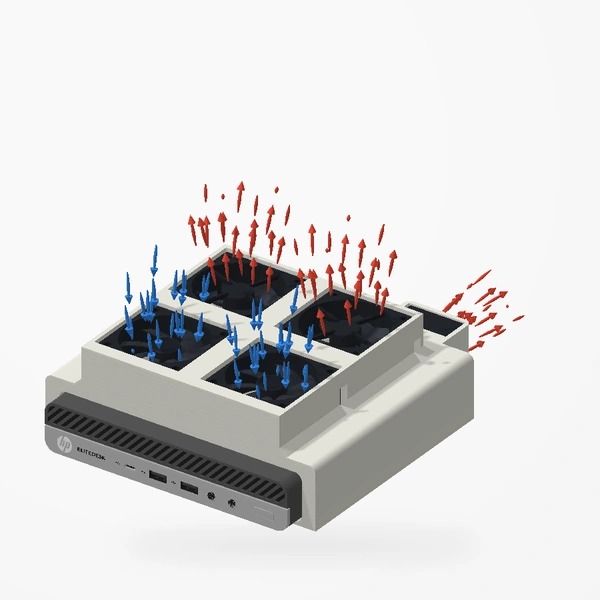
With stock cooling the NVMe drive and the chipset ran hottest. Adding lid fans brought both down sharply, even while the CPU drew more power. In this mini PC the drive and chipset get very little airflow from the stock design.
The five-fan mount lowered the CPU peak
The CPU peak fell from 82.0°C (test 9, four-fan legacy mount) to 73.0°C with the five-fan mount.
Removing the lid mesh did not help
Compared with the mesh in place (test 5), removing it (test 6) left the CPU peak 2.0°C higher, the chipset peak unchanged (52.0°C) and the NVMe drive peak 2.0°C lower. The mesh made no clear difference either way.
Every run
- Stock cooling
- Stock cooling + ThrottleStop
- Four-fan legacy mount
- Five-fan mount
CPU, peak
Chipset (PCH), peak
NVMe drive, peak
All-core clock, sustained tuning, not the mount
Every run as a table
| Run | Setup | CPU peak | Chipset peak | NVMe peak | Clock, sustained | Package, sustained |
|---|---|---|---|---|---|---|
| CPU stress test2026-09-29 | Stock cooling (no lid fans), PROCHOT active (stock BIOS behaviour) | 70.0°C | 60.0°C | 59.0°C | 1530.7 MHz | 20.8 W |
| Test 12026-09-29 | Stock cooling (no lid fans), PROCHOT active | 77.0°C | 62.0°C | 61.0°C | 1947.1 MHz | 27.0 W |
| Test 22026-09-29 | Stock cooling (no lid fans), ThrottleStop BD PROCHOT disabled | 73.0°C | 56.0°C | 55.0°C | 3326.0 MHz | 46.7 W |
| Test 32026-09-29 | Stock cooling (no lid fans), BD PROCHOT disabled, MMIO power limits synced to 65/122 W | 73.0°C | 56.0°C | 56.0°C | 3332.6 MHz | 46.1 W |
| Test 42026-09-29 | 4x 60 mm lid fans (no spacers), BD PROCHOT disabled | 75.0°C | 47.0°C | 40.0°C | 3238.4 MHz | 42.6 W |
| Test 52026-09-30 | 4x 60 mm lid fans with 8 mm ring spacers, lid mesh in place | 78.0°C | 52.0°C | 47.0°C | 3229.9 MHz | 42.9 W |
| Test 62026-10-02 | 4x lid fans with spacers, lid mesh removed | 80.0°C | 52.0°C | 45.0°C | 3174.6 MHz | 42.9 W |
| Test 72026-10-02 | 4x lid fans, mesh removed, heatsink fan flipped from exhaust to intake | 79.0°C | 54.0°C | 47.0°C | 3157.8 MHz | 43.2 W |
| Test 82026-10-02 | Test 7 setup + tape sealing lid gaps (started warm, 1 min after test 7) | 77.0°C | 55.0°C | 48.0°C | 3149.9 MHz | 42.9 W |
| Test 92026-10-02 | Test 8 setup, cold start (tape test) | 82.0°C | 54.0°C | 47.0°C | 3163.0 MHz | 42.9 W |
| Test 102026-10-04 | New five-fan lid mount | 73.0°C | 49.0°C | 42.0°C | 3180.1 MHz | 40.9 W |
If you want to try it
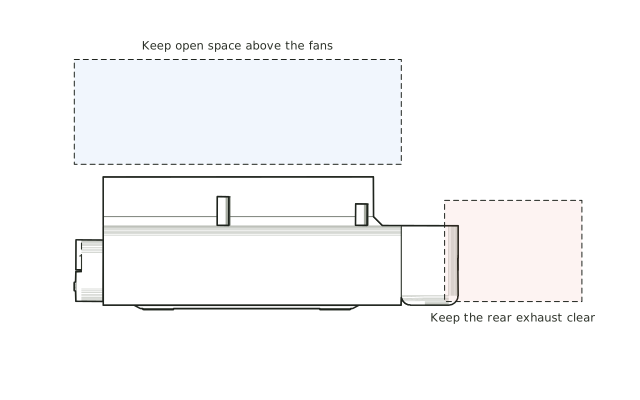
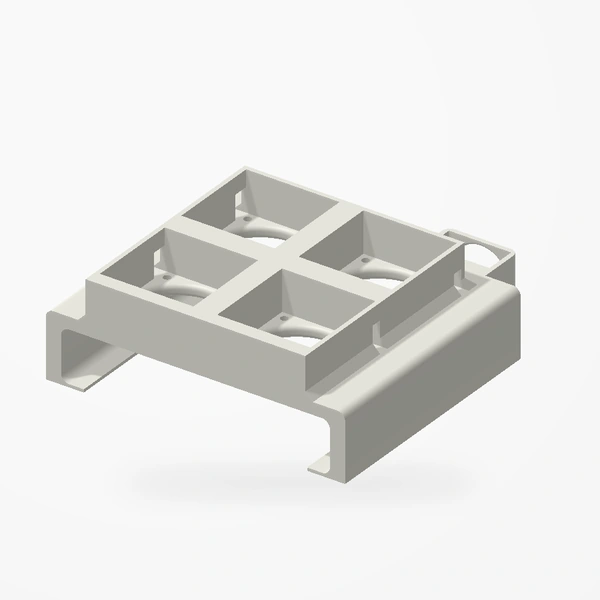
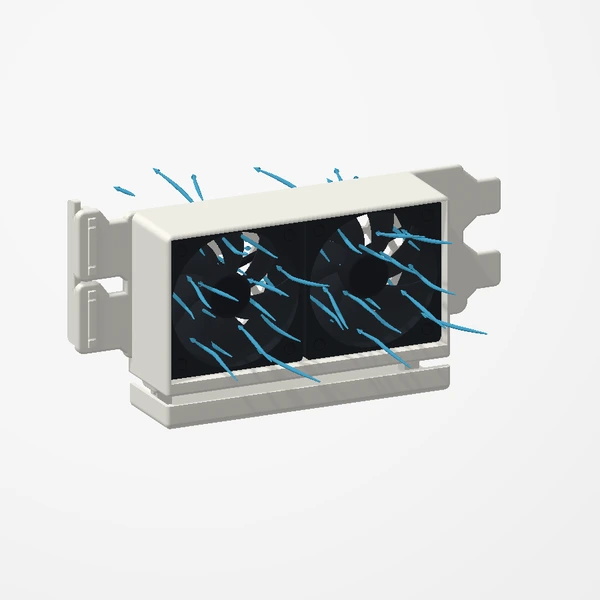
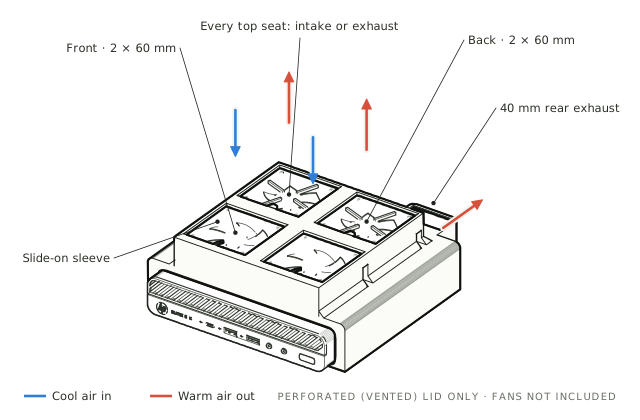
The sleeve fits HP EliteDesk 800 G-series Mini models with the perforated (vented) lid only, and takes up to four 60 mm fans up to 25 mm thick plus one 40 × 40 × 20 mm fan. Fans are not included. It is coming soon to Etsy; the design’s page can email you when it lands. The story of how it was designed is in Three rules for a sleeve.
Every view and fan layout, the ten installation steps and a notify-me email.
See the EliteDesk mount