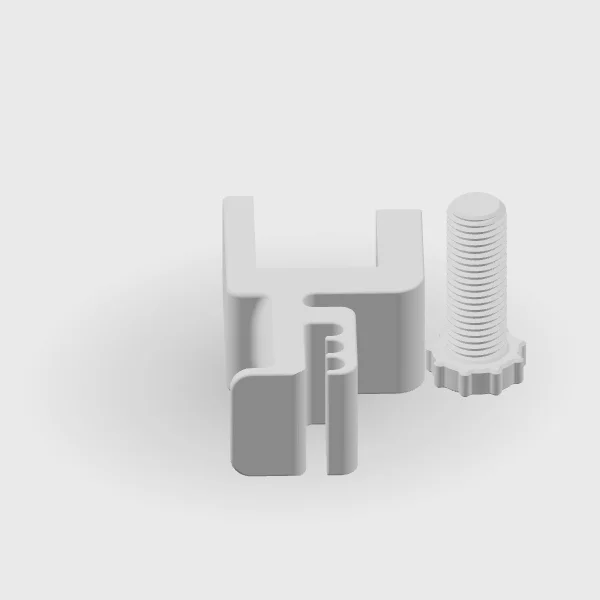
A single picture can hide the part of a product you most want to see. Our interactive previews let you turn a design around and take a closer look before visiting the shop.
The gallery covers GPU supports, PCIe fan mounts, tubing clips, and a desk clamp headphone holder. Each product starts with a still image. Opening its preview gives you a view you can control.
Turn it, then look closer
Drag across the preview or use the rotation slider to move around the object. With the preview focused, the left and right arrow keys rotate it as well. Zoom brings the details closer; Reset returns to the starting view.
The preview uses rendered images. It shows the design's shape and arrangement, but it is not a live camera view of a finished print. Surface texture, lighting, and perceived color can differ from the object in your hand.
Compare the available versions
Some products include a size, style, or color selector. The GPU support has two adjustment ranges; the AIO clip has several styles. Switching that control updates the preview so you can inspect the version you are considering.
These controls are for exploration. They do not add an item to a basket or carry a purchase selection into Etsy. Check and select the intended option again on the listing.
Read the notes beside the image
Some previews show components separately. A fan mount may be shown without its fan, while a support or holder may be shown alongside its threaded part. The notes explain those choices and call attention to measurements worth checking.
Use the listing for the final details
Once you understand the shape, use the Etsy link to check the current listing, options, and availability. If a dimension is missing or you are unsure how a part will fit, ask us. A clear measurement is more useful than trying to estimate size from a render.
The gallery is a way to inspect our work. Design files are not available for download.
Take a closer look at the designs in our collection.
Explore Creations