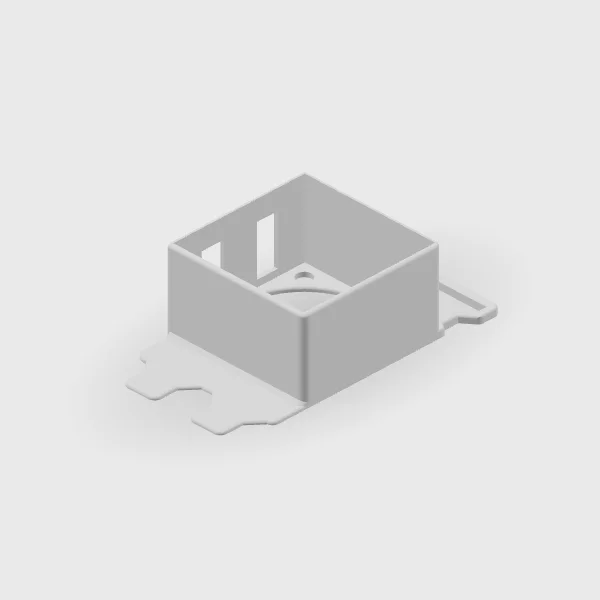
Our fan mounts solve the same positioning problem in different ways. Choosing between them starts with the space available around your graphics card.
The collection includes a low-profile mount for one 40 mm fan, a mount for two 40 mm fans, and low-profile and high-profile designs for a 60 mm fan. The names describe different physical arrangements; they are not a ranking of cooling performance.
Compare the footprint
- Low-profile 40 mm: designed for one 40 mm fan and two expansion slots.
- Dual 40 mm: designed for two 40 mm fans and two expansion slots.
- Low-profile 60 mm: designed for one 60 mm fan and three expansion slots.
- High-profile 60 mm: a taller bracket arrangement for one 60 mm fan. Check the listing for the dimensions relevant to your case.
Look beyond the fan size
A fan's nominal size does not describe the complete installed assembly. Check the fan thickness, the mount's dimensions, available rear slots, and clearance around nearby components. Compare those details with your case and hardware documentation.
The rendered previews show the mounts without fans. Several views also show mounting pieces separately. Use the image to understand the design and the listing to confirm what is included.
A mount is one part of a cooling setup
Our PCIe fan project on YouTube is a place to see the idea in the context of a build. Its outcome should not be treated as a guaranteed temperature change for another system. Cases, fans, components, and existing airflow differ.
Before working inside a PC, shut it down and disconnect its power. Keep clear of moving fan blades and follow the installation guidance for your components.
Bring us the details
If you are choosing between two mounts, send the case model, fan size and thickness, available slots, and the space you have measured. That makes the conversation about a specific fit. Current product options and availability are on Etsy.
Take a closer look at the designs in our collection.
Explore Creations